
How to Connect Your ATS Tool to Granola Through Zapier
Most recruiters already use AI notetakers like Granola to capture meeting notes and transcripts.
But those notes usually sit there.
They’re not connected to your ATS tool, not tied to candidate profiles, and not actually helping your workflow long-term.
In this guide, we’ll show you how to connect Granola to your candidate tracking software so that every meeting note is automatically logged against the right candidate.
We’ll use Stardex ATS as an example, but this setup works with any applicant tracking software that has an open API.
Why You Should Connect Granola to Your ATS
Every candidate conversation contains useful context—notes, signals, and feedback.
If that data stays inside your AI note-taking tool, it gets lost over time.
Connecting Granola to your ATS tool means those notes are automatically tied to candidate profiles, visible to your team, and usable later. No more copy-pasting or digging through transcripts before a call.
How Stardex ATS Connects to Your Granola Notes
AI Native ATS tools like Stardex is designed to make this process simple.
Through Zapier, Stardex can connect with thousands of tools, including Granola, and create an activity on a candidate profile whenever a new note is added.
It then tries to match the candidate using whatever data is available—name, email, LinkedIn URL, or even meeting context. If there’s no exact match (which can happen with misspelled names or booking links), Stardex uses AI to find the closest match.
If it still can’t confidently match the person, the activity shows up as unassigned on your home page. From there, you can quickly link it to the correct profile.
This setup is intentionally simple today, and we’re continuing to improve it so that matching becomes more accurate with less manual work over time.
Granola + Stardex ATS (MCP Compatibility)
Both Granola and Stardex support MCP (Model Context Protocol), which means they’re built for a more AI-native way of working.
While this guide uses Zapier to connect the two, their MCP support enables deeper integrations and more context-aware workflows, especially as more AI recruiting tools adopt the same standard.
Step-by-Step Guide: Connect Granola to Your ATS
1. Add the Stardex Zapier App
Start by adding the Stardex Zapier app:
https://zapier.com/developer/public-invite/217677/a121df430f700c9b335635ea4d2f5eb1/
If you run into any issues, we can invite you to our email list directly.
2. Create a New Zap
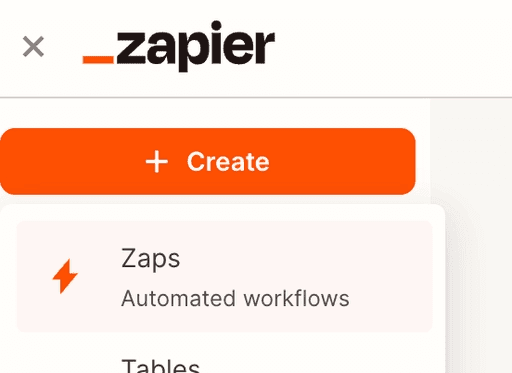
From your Zapier dashboard, click Create → New Zap.
3. Set Granola as the Trigger
Select Note Added to Granola Folder as the trigger event, then connect your Granola account and test it.
This means every time a note or transcript is added to a selected folder, the workflow will run automatically. It’s best to create a dedicated folder, such as candidate calls, so only relevant notes are pushed into your ATS.
4. Add Stardex as the Action
Choose Add Activity from Stardex and enter your API key from the integrations settings.
5. Configure the Mapping
This is where you decide how the Note gets attached inside your ATS.
Set the activity type to something like Meeting Note. For the note content, pass the data from Granola—we recommend using Enhanced Notes if available, since it’s cleaner than raw transcripts.
For the name, pass the candidate or client if it’s available. If not, use the meeting title or the closest identifier. You can also include optional fields such as LinkedIn URL, email, and job title, along with any additional context that helps with matching.
The more information you pass, the better the system can match the Note to the right person—even if there are small inconsistencies in the data.
6. Test and Publish
Click Continue to test the Zap and make sure everything is working correctly. Once confirmed, publish it.
What Happens After You Connect Granola to Your Applicant Tracking Software
This is one of the simplest ways to connect your meeting workflow to your ATS.
Instead of notes living in isolation, they are automatically part of your candidate data. Over time, this builds a stronger system, one where context is always available, and manual work keeps going down.
And as both Granola and Stardex continue improving their AI and MCP capabilities, this workflow will only get better.
If you want to see how this works in practice or set it up faster with our help, you can book a demo with Stardex, and we’ll walk you through it step by step.


