How Recruiters Are Using ChatGPT to Connect Directly to Their ATS
Most recruiters already use ChatGPT or Claude for small tasks, such as rewriting outreach, summarizing notes, and cleaning up job descriptions.
But your ATS? That's usually still a separate tab and workflow, which adds more mental load.
Today, that's starting to change.
Modern applicant tracking systems (ATS) now let you connect your recruiting database directly to your favorite LLM, such as ChatGPT or Claude, so you can manage your pipeline using simple prompts even from your phone.
Instead of jumping between tabs and filters, you can ask ChatGPT to pull data, update candidates, and organize your workflow in seconds.
If you're looking for an agentic ATS that works with ChatGPT, Stardex ATS now lets you connect directly to ChatGPT so you can access your candidate database as easily as chatting with AI.
We're building Stardex not just for recruiters, but for their agents, because this is where modern recruiting is heading.
Why We Built This (ATS + ChatGPT Integration)
People are already using AI every day, and recruiters are not an exception. Recruiters are already using AI tools like ChatGPT in their day-to-day work. It didn't make sense to have these search firms leave those tools for retrieving candidate data.
That's why we built an integration that lets recruiters query their ATS data directly inside ChatGPT.
We dropped the first version in just a week, and as far as we know, Stardex is the first ATS to do this experiment.
Early access customers are already using it daily. It's still V1, but we're learning fast and improving quickly.
How to Connect Your ATS to ChatGPT (Step-by-Step Guide)
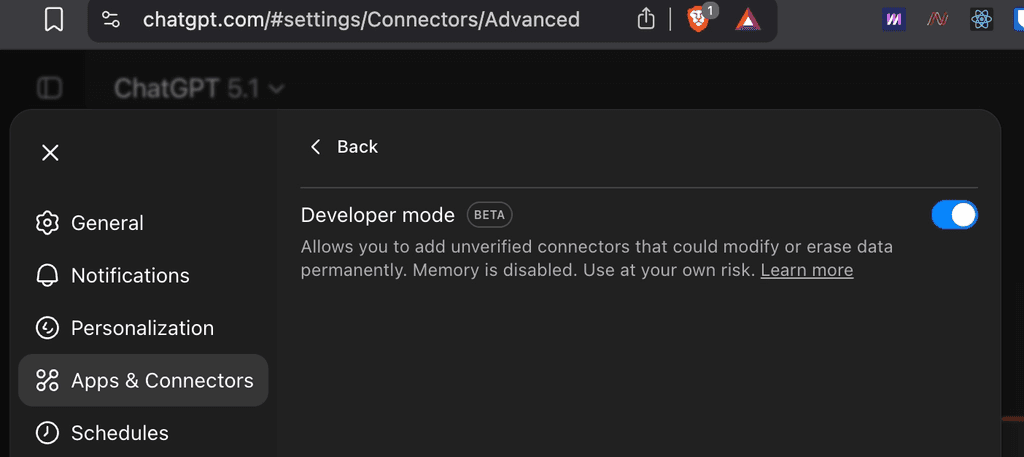
Step 1: Enable Developer Mode in ChatGPT
Go to:
Settings → App & Connectors → Advanced Settings
Turn on Developer Mode.
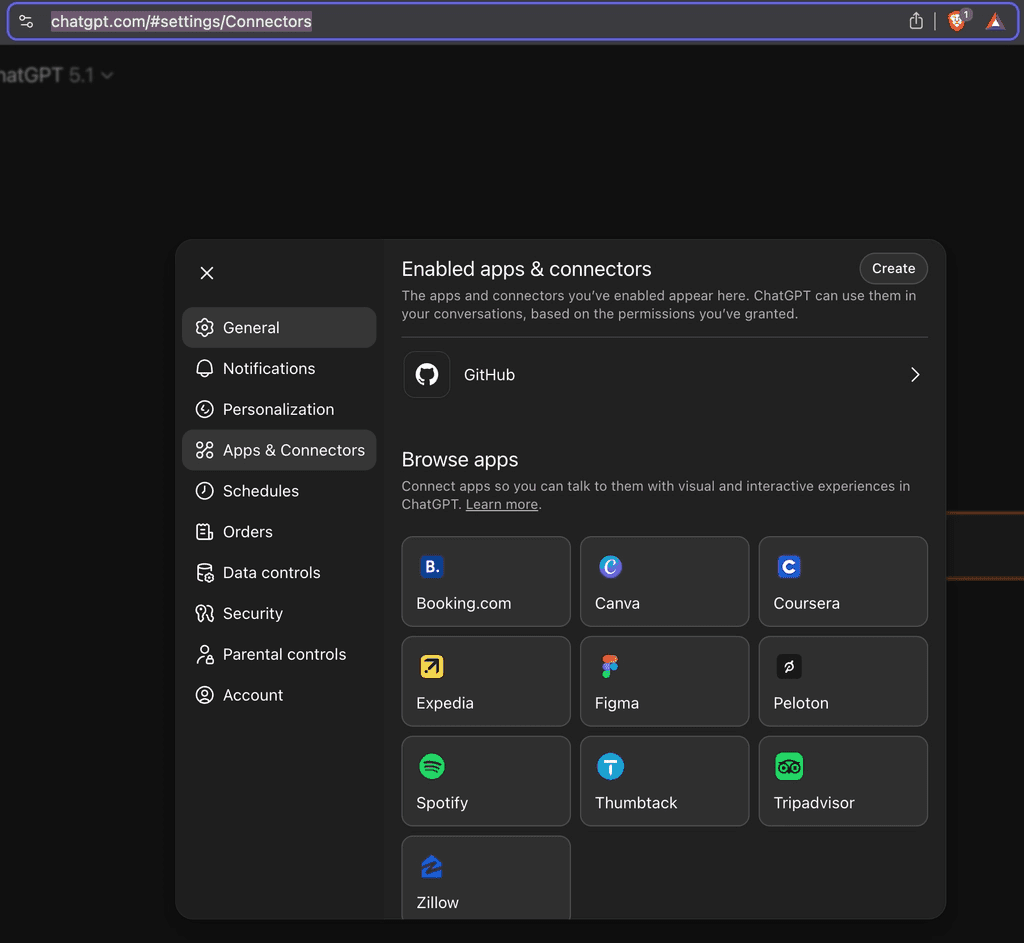
Step 2: Create a New Connector
Go back to Enabled Apps & Connectors, then click Create.
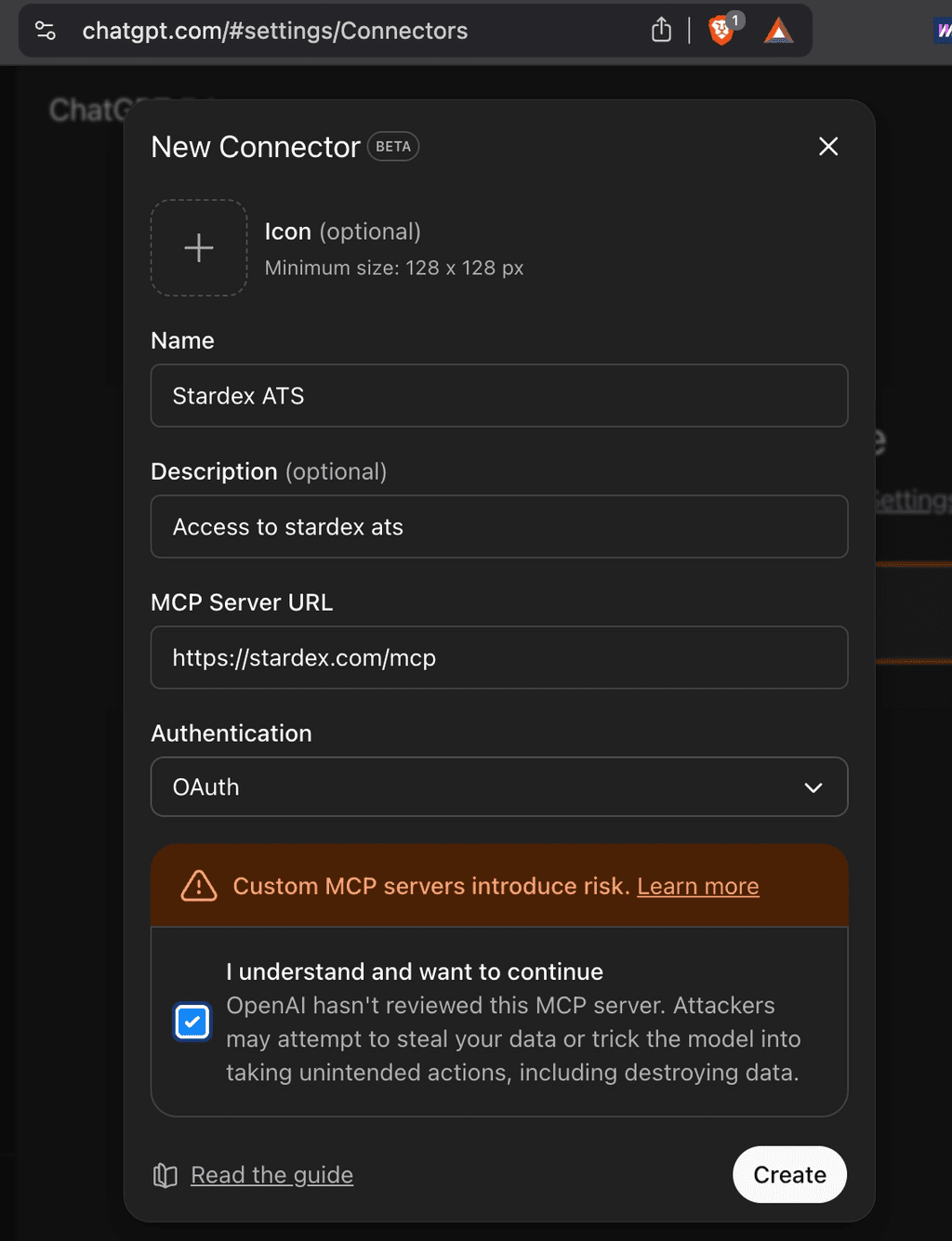
Step 3: Add Stardex ATS
In the connector setup:
Name: Stardex ATS
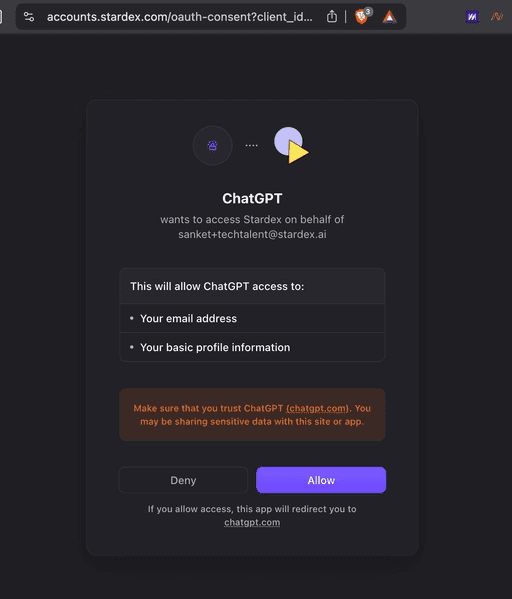
Step 4: Authorize Your Account
You'll be redirected to Stardex to log in and approve access.
Click Allow.
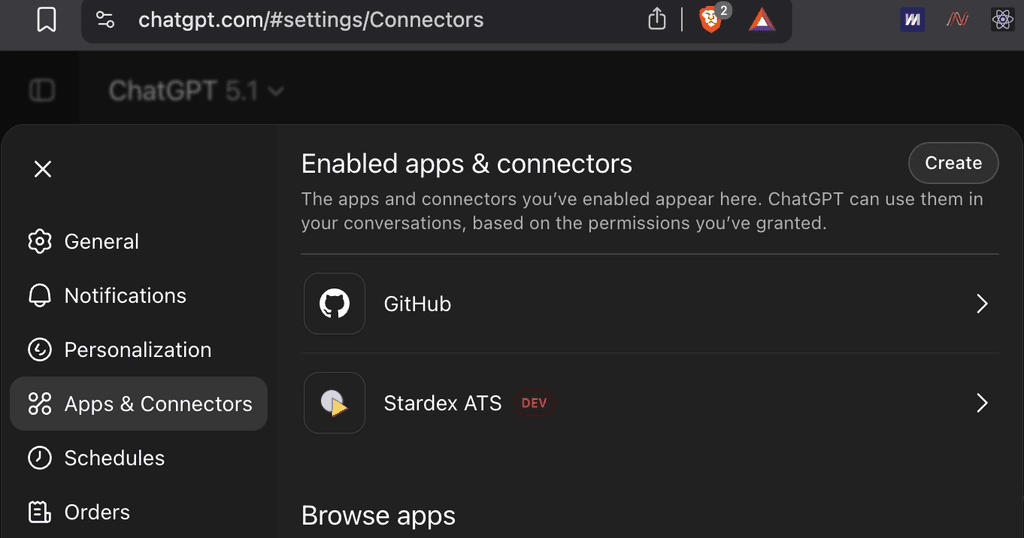
Once done, Stardex will appear in your connected apps.
Step 5: Update Candidates Using Plain English
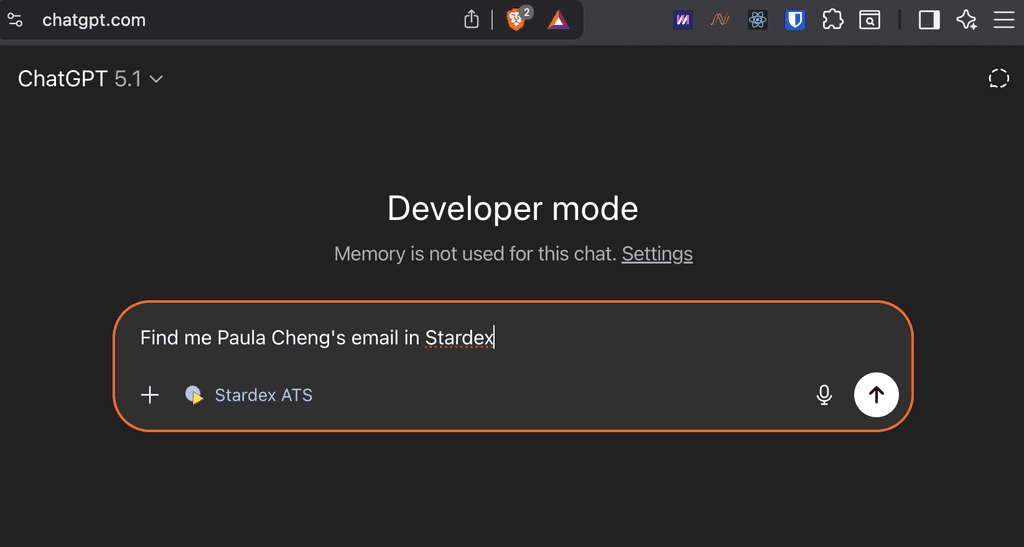
This is where the integration becomes really powerful.
Instead of manually updating a candidate profile, you can tell ChatGPT what to do.
For example:
"Move this candidate to the final interview and add a note that they're actively in process."
ChatGPT handles everything in one go. It updates the stage, adds the note, and logs the activity inside Stardex ATS.
In a real workflow, it looks like this:
The call ends. The candidate is moving to the final interview, and you told the client you'd log it right away.
You type:
"Move Seth to the final interview, note that the client flagged a strong cultural fit."
Done. Stage updated, note added, activity logged even while you're still on the call. No "I'll update that later" that turns into tomorrow.
Step 6: Confirm the Update in Stardex
After ChatGPT completes the action, you can quickly check inside your Stardex ATS.
You'll see the candidate moved to the correct stage, with the note added.
This shows that ChatGPT isn't just suggesting actions, it's actually executing them inside your ATS in real time.
Step 7: Generate Reports Instantly
You can also use ChatGPT to generate reports from your ATS data.
For example, asking about the geographic distribution of candidates will analyze the data and return a structured summary, often with tables or charts.
Instead of exporting data and building reports manually, you ask.
Here's what that looks like in practice:
A client emails asking how many candidates you've submitted across three open roles and which are still active.
You type:
"Submission summary for XYZ Search Firm, all open roles."
You reply before they've even moved on to their next email.
Step 8: Get Quick Candidate Summaries
Need a quick refresher before a meeting? Just ask ChatGPT to summarize a candidate.
It will pull together key details like experience, notes, and highlights into a clean overview you can review or share.
This is especially useful when you need to get up to speed fast without digging through profiles.
Similarly, If you’re using Claude, here’s how to automate client meeting prep with Claude AI.
What Happens After Integrating Your ATS with ChatGPT
After connecting both tools, your workflow changes immediately.
Instead of logging into your ATS and searching manually, you can open ChatGPT and type:
"Find me backend engineers in Singapore open to new roles."
"Summarize my last interaction with this candidate."
"Update this candidate's status to not interested."
"Can you find me candidates with 5+ years of Python experience in fintech?"
"Show me a list of VP Marketing candidates from the Tekto job."
"Add a note to Jackie Murao that she's not interested in this job."
"How many people in my database have Python experience?
Instead of clicking through dashboards, you ask and get context instantly.
If you don’t want to keep pasting the same prompts every time, Claude Cowork lets you save them as reusable workflows called Skills. You can run them with a single command or even schedule them to run automatically.
If you use Claude for your recruitment workflow, here are 5 ready-to-use Claude skills or workflows for recruiters.
Leverage ChatGPT as Your Recruiting Assistant
This is still early, but the direction is clear. Less clicking, more asking, faster workflows.
Recruiters are moving from using tools to talking to systems, and early adopters will have a real speed advantage.
Most recruiters already use ChatGPT or Claude every day. Stardex ATS builds on that by turning AI into your recruiting assistant.
Instead of managing your ATS manually, you can search for roles, update candidates, and analyze your pipeline through simple conversations.
If you're already using Stardex, this is your chance to start leveraging it in your workflow. If you're exploring an ATS that integrates with ChatGPT or Claude, book a demo to see it in practice.